



If you work from home, you soon notice that poor light is tiring: headaches, tense eyes and a slump at the end of the afternoon. With good desk lighting you work more comfortably and stay sharp for longer. In this guide you will read how much light you need, which light colour suits you and why an LED panel is so well suited to a home office.
In short
- Brightness: aim for about 500 lux on your desk.
- Light colour: 4000K (neutral white) is the standard for office work, 5000K is fresher and brighter.
- Comfort: choose flicker-free and glare-free light, so your eyes don’t get tired.
- Combine: an LED panel for general light with a desk lamp for task lighting.
Jump straight to:
How much light do you need in an office?
Lux and lumens
For screen work and reading, around 500 lux on the desk is a good guideline. A room of 3 by 3 metres is 9 m², so you need roughly 9 x 500 = 4500 lumens. An LED panel of 4000 lumens plus a desk lamp comes close to that. See What is a lumen? for the calculation.
Light colour
Neutral white (4000K) is pleasant and natural. Many people find 5000K sharper for concentration work, but it can feel cold. With a panel with adjustable light colour (CCT) you can switch yourself, see LED colour temperature.
Daylight and evening work
During the day, natural light from the side helps. If you work in the evening, dim the ceiling light and keep a warmer desk lamp on to relax your eyes.
Why an LED panel?
Even, flat light
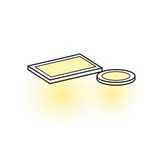
An LED panel lights a large surface softly and evenly, without harsh shadows or bright spots. That is ideal above a desk. Panels come in sizes such as 60 x 60 cm and 30 x 120 cm, for recessed mounting in a suspended ceiling or surface mounting. Take a look at the LED panels and downlights and the LED lighting for offices.
Placement
Place the panel above and slightly in front of your desk, so you aren’t sitting in your own shadow. Position the screen at a right angle to the window to prevent reflections.
Video calls
Make sure the light comes from in front of you, not behind you. If you sit with your back to a window, you will be a silhouette on camera.
Eye comfort: flicker-free and glare-free
Flicker-free
Cheap LED lighting can flicker invisibly, which is tiring. Choose a quality driver that is flicker-free. See also the LED alphabet.
Glare-free and colour rendering
A panel with a matt cover dazzles less. Also look at the colour rendering (CRI): 80 or higher is fine for office work, 90 gives even more natural colours.
Dimmable and smart
With dimming you adjust the brightness to the moment, see Dimmable LED lighting. A smart LED can be controlled with an app or by voice, see LED wifi lighting.
📩 More LED tips in your inbox?
Sign up and you will immediately get a 5% welcome discount in your inbox. After that I will send you a new LED tip now and then. You can unsubscribe at any time.
Frequently asked questions
How many lux do I need on my desk?
Which light colour is best for working from home?
Is an LED panel suitable for a home office?
Do I also need a desk lamp?
How do I prevent reflections on my screen?
Kind regards,
Bas / LEDPLANET.NL